Choose parameters after replacement
Choose parameters after replacement
Context
If dosage and temperature recommendations differ between the two products, a window opens after selecting the replacement.
Starting point
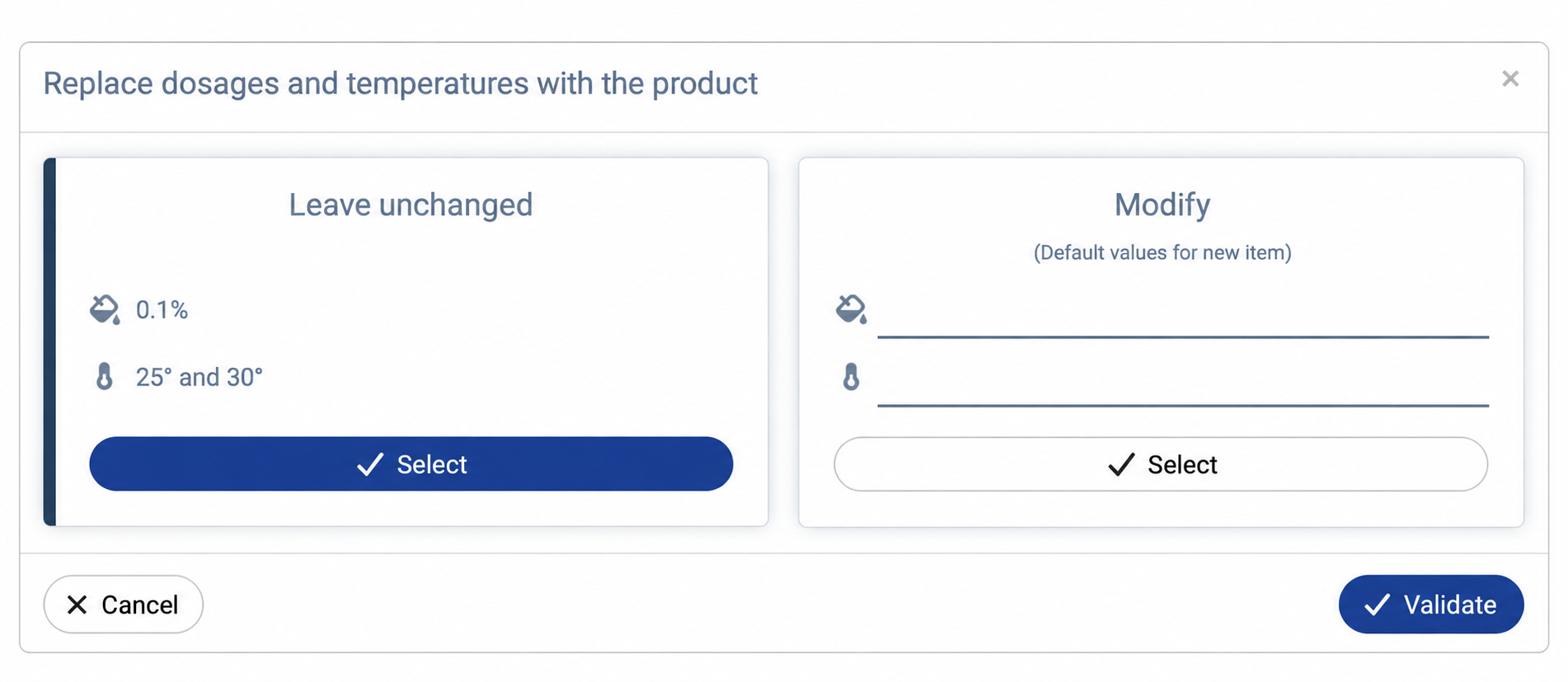
Dosage and temperature window after replacement
Prerequisites
- The window opens if the recommendations differ between the two products.
Steps
1. Keep current values
In the Leave unchanged section, review the dosage and temperature already in use. Click its Select button to keep them.
2. Apply or adapt new values
In the Change section on the right, review the new product’s values. Keep these suggestions or enter your own values, then click that section’s Select button.
3. Confirm parameters
Click Confirm at the bottom right. The selected values apply to the procedures covered by the replacement. Then review the parameters and operating instructions.
Expected result
Current, recommended or entered values apply to the procedures concerned.
Remember
- There are three choices: keep the values, follow the new product’s recommendations or enter values suited to the use. Always check the manufacturer’s instructions.
Illustrations