Choose the print theme
Choose the print theme
Context
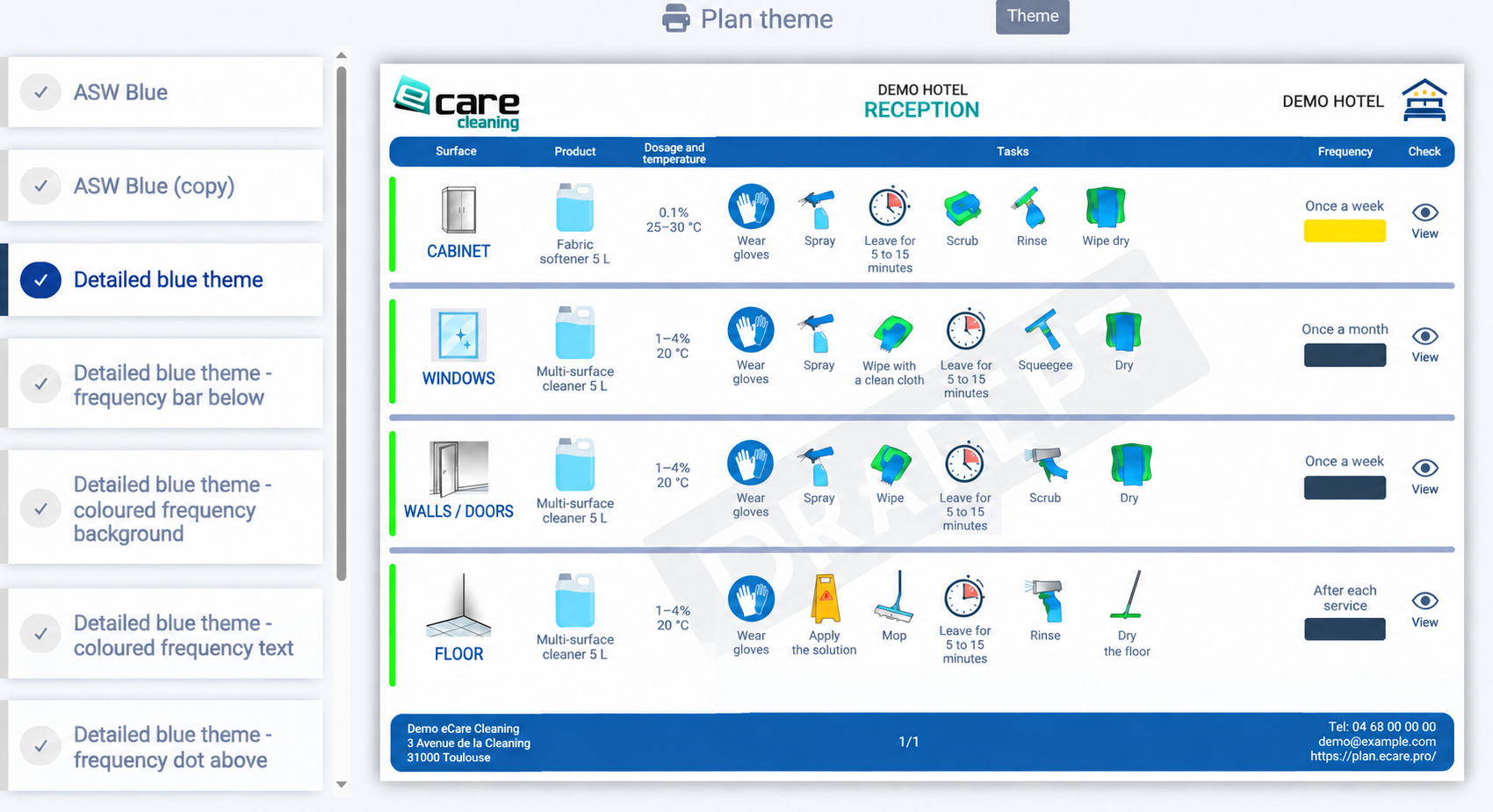
At step 4, choose the plan layout from the themes provided by your installation.
Starting point
Step 4 — Theme
Prerequisites
- Have access to the themes provided by the installation.
Steps
1. Choose from the list
Click the required theme in the left-hand list. A preview of the first page appears in the right-hand panel. The available choices depend on your installation.
2. Compare layouts
Select another theme if needed and examine its preview. Check text legibility, images, colours and the space allocated to information.
3. Proceed to the final check
When the layout is suitable, go to step 5. Review the entire package: the first-page preview at step 4 does not replace checking other pages and attachments.
Expected result
The theme is selected and the package is then checked at step 5.
Remember
- ASW PRO can offer customised document templates.
Illustrations