Place and organise attachments
Place and organise attachments
Context
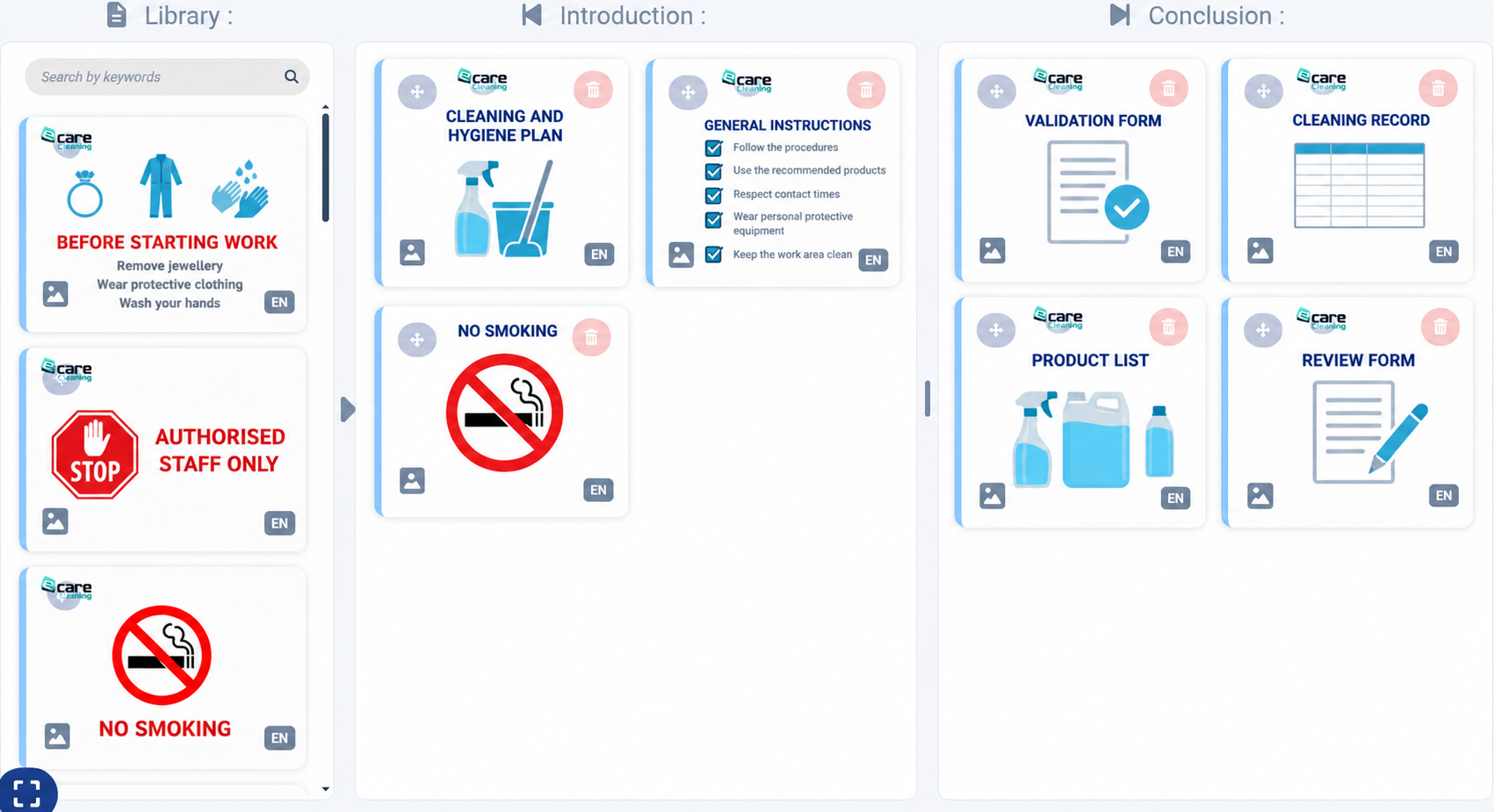
At step 3, organise the pages placed before or after the plan content. Static and dynamic documents serve different purposes. Their positions determine the order of the final package.
Starting point
Step 3 — Documents
Prerequisites
- Prepare the documents in the Company or Group library.
Steps
1. Choose documents
The library is on the left. Find useful attachments: cover page, introduction, posters or monitoring sheets.
2. Place them in the package
Drag documents to Introduction to place them before the plan, or to Conclusion to place them after it.
3. Check the order
Reorder documents by drag and drop. Check their appearance in the final preview, especially dynamic documents.
4. Place and reorder
At step 3, the library is on the left, Introduction in the centre and Conclusion on the right. Drag documents to the appropriate panel, then reorder them by drag and drop.
5. Check after generation
Review the pages at step 5: products actually used, surfaces to monitor, procedures and attachment order. Check dynamic documents in the final plan.
Expected result
The attachments appear before or after the plan, in the required order.
Remember
- Dynamic documents use the plan content, such as surfaces to monitor or products used.
- Use the Company or Group library according to your collaboration option. New document opens the editor; choose the orientation and save as PDF. Import PDFs imports a selected page or all pages.
Illustrations