Find, open or create a plan
Find, open or create a plan
Context
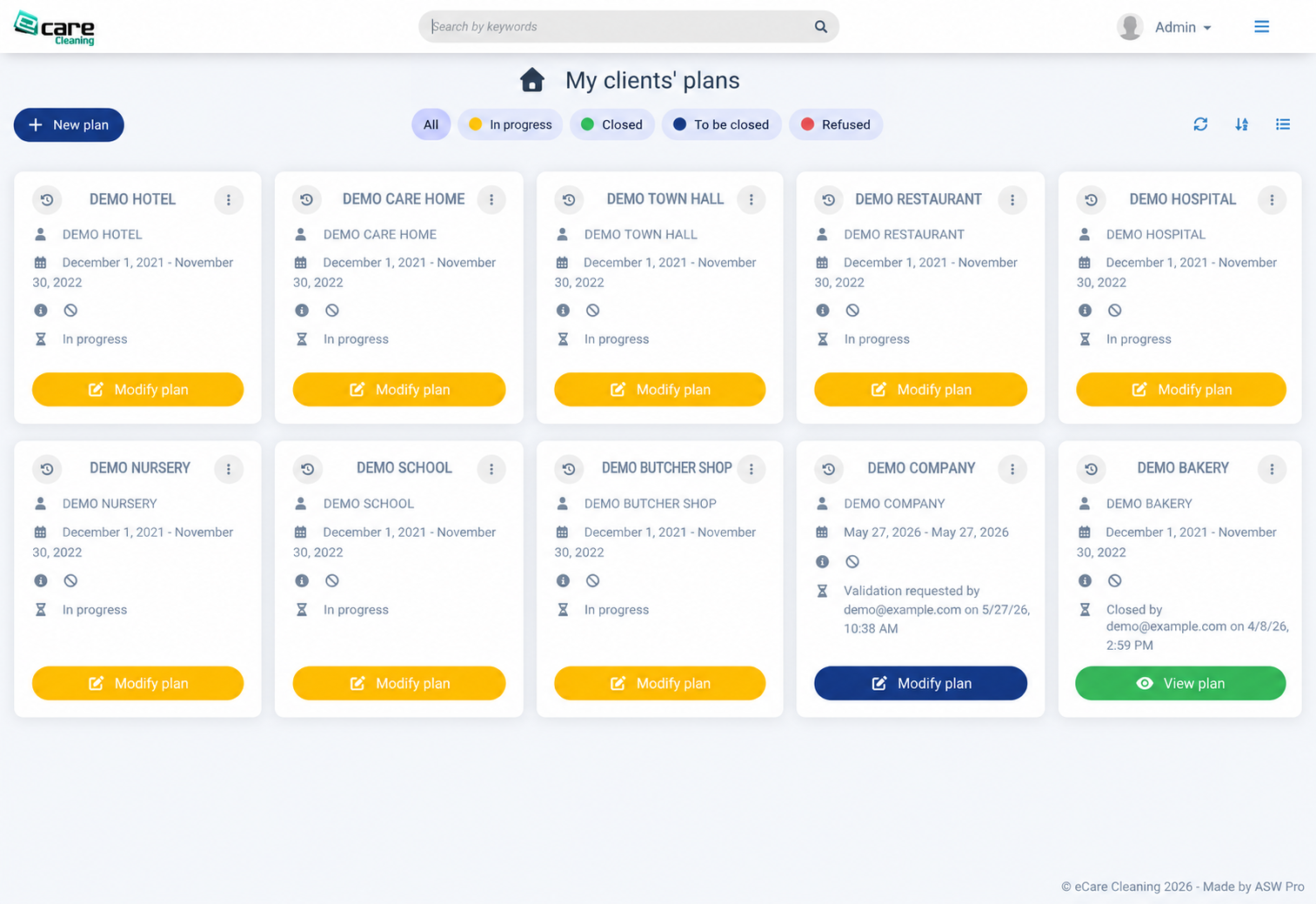
The “My customers' plans” home page lists the plans visible to your user account.
Starting point
Home — My customers’ plans
Prerequisites
- Be logged in to eCare Cleaning.
Steps
1. Search for a plan
Use the keyword search and result pages to find a package.
2. Filter by status
Choose All, In progress, Closed, To be closed or Rejected. The plan record shows its status and, where applicable, approval details.
3. Open or create
Click Edit plan to resume work, or View plan to consult it. New plan starts a new plan.
Expected result
The plan is found and opened for editing or viewing, or a new plan is started.
Remember
Illustrations