Understand the structure and adjust the view
Understand the structure and adjust the view
Context
At step 2, reference procedures appear on the left; your plan appears on the right.
Starting point
Step 2 — worksheet
Prerequisites
- Open a plan at step 2.
Key points
Read the structure
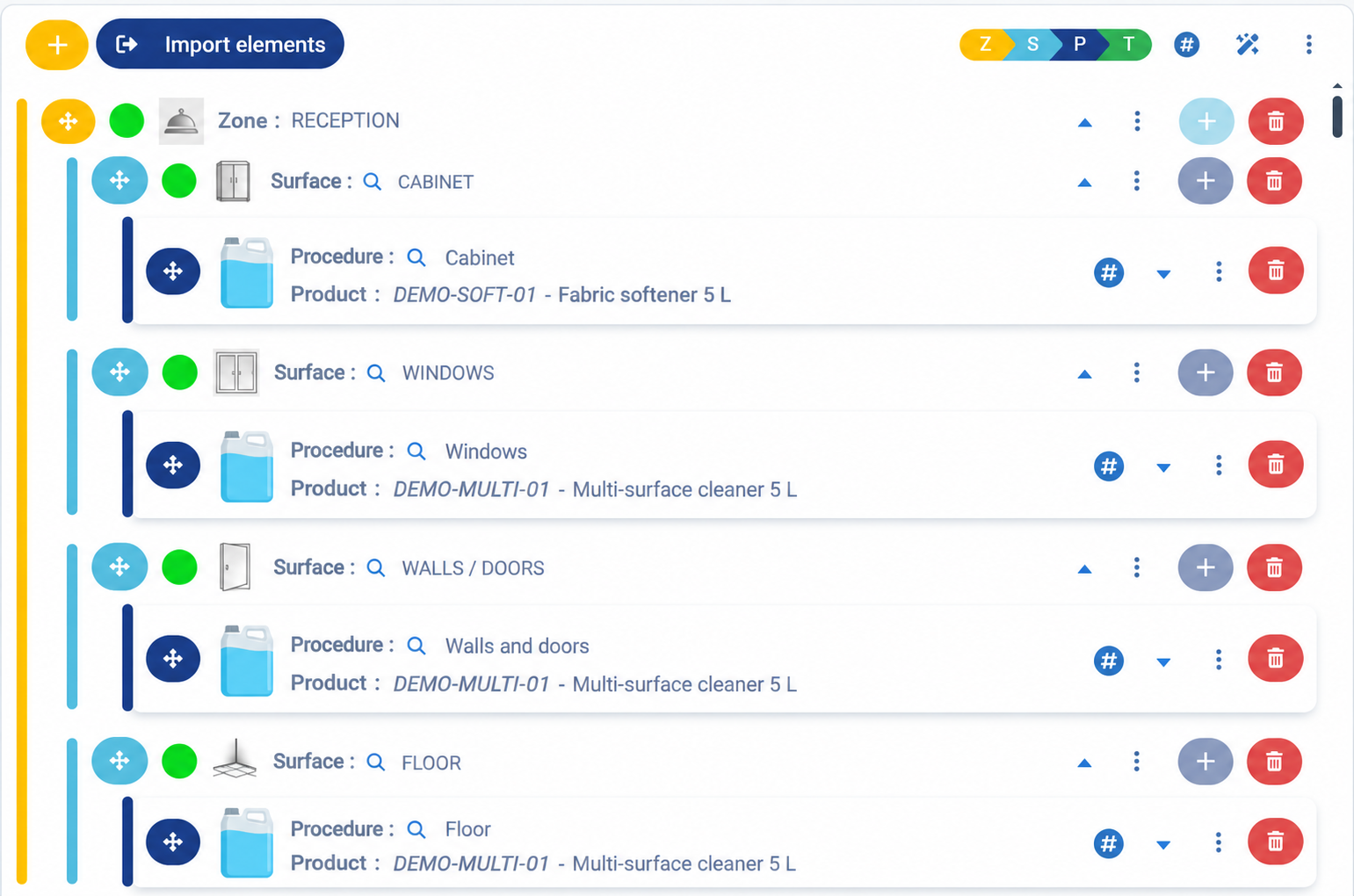
A zone contains surfaces. Each surface contains one or more procedures, made up of tasks.
Identify the levels
Structure markers are yellow for zones, light blue for surfaces, dark blue for procedures and green for tasks.
Adjust the view
The Z, S, P and T controls expand or collapse levels. An element's arrows affect only that element.
Expected result
Zone, Surface, Procedure and Task levels are identified and the view adjusted.
Remember
- The colour assigned to a zone or frequency differs from the colour identifying the structure level.
Illustrations